GAME FIELD NOTES / GAMETAPPLAY
Mergeverse: Merge the Harvest
Game overview
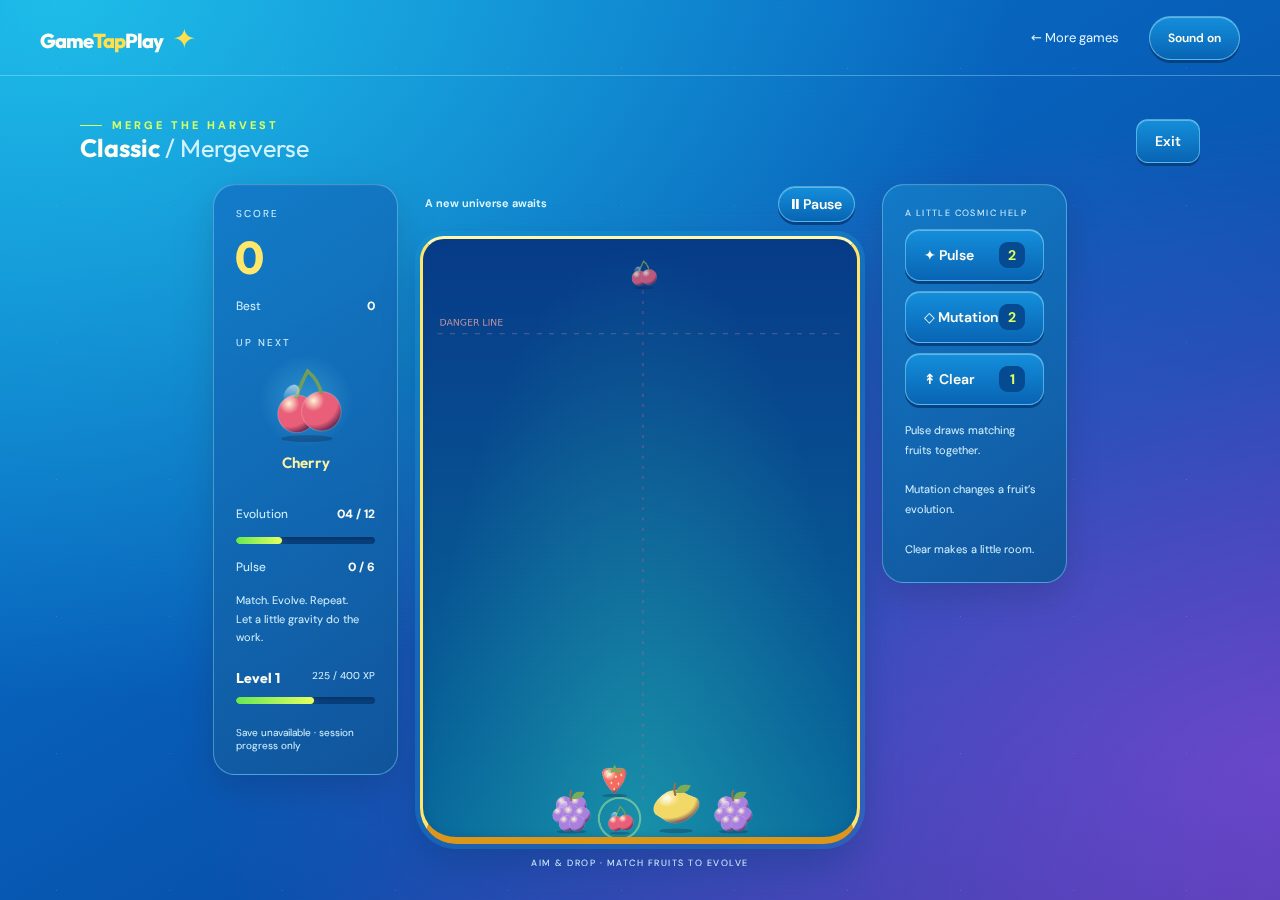
A physics puzzle with twelve fruit evolutions. Drop matching fruits together while keeping the growing pile below the danger line.
Harvest Journey and score modes
Classic is an open-ended score run; Time Attack lasts 90 seconds. Daily uses a shared UTC challenge. Harvest Journey adds 60 levels with limited drops, obstacles, objectives and up to three stars per level. Goals can ask for merges, score, a chain or a particular fruit produced by merging. Every accepted drop spends a move. The final drop gets five seconds to settle, and overflow can still end the level. Completing each world opens the next; replay levels to improve stars. A free four-drop assist becomes available after two unsuccessful attempts and caps the result at one star.
Scoring your attempt
Merges add points, and merges within 1.8 seconds build a chain. Three matching fruits together can earn a Perfect Merge bonus.
Controls
Move the pointer or drag to aim, then click or release to drop. On a keyboard, use Left/Right and Space. Escape pauses.
Your first attempt
Start with Classic and leave room for larger fruit. Watch the next drop before choosing a gap. An automatic Pulse attracts matching fruit every six merges; Clear removes the smallest fruit tier. Journey introduces its abilities gradually.
Inside the game
The fruit artwork is drawn as SVGs. The Evolution Codex tracks discoveries; Journey adds layouts with bumpers and terraces.
What is saved?
Discoveries and completed Journey levels save for this browser. An unfinished board restarts after reload. If saving is unavailable, progress lasts only in the current session.
Five practical strategies
- Keep matching fruit reachable. A small pair buried beneath a larger piece cannot combine until the obstruction moves, so place the next partner where it has a clear path.
- Use the next-fruit preview to prepare two placements. Leave a landing spot for the following fruit instead of filling the last useful opening with the current one.
- Wait for uncertain landings to settle. Round fruit can roll after contact; an extra drop into a moving pile can turn a promising arrangement into a tall stack.
- Check the automatic Pulse counter. Every six merges attracts matching fruit, which can change your planned landing area; reassess the board after that movement.
- Read Journey objectives before spending moves. If the goal requires producing a fruit, build that merge rather than chasing unrelated points. Save Clear for a smallest-tier obstruction that actually prevents progress.
Frequently asked questions
Is Classic timed?
No. Time Attack is the 90-second mode; Classic lets you plan at your own pace.
Does every drop use a Journey move?
Every accepted drop does. Rejected rapid input and ability use do not spend moves.
Can I continue an unfinished board after refreshing?
No. Discoveries and completed Journey progress are saved for this browser, but an unfinished board restarts.
Does the assist award three stars?
No. Assisted completion is capped at one star, so replay unassisted to improve the rating.
Read the full Mergeverse strategy guide for detailed techniques and common mistakes.