★
Getting the crew ready…
Building your neighbourhood
School Run is a school running game where you guide a runner through three lanes of a 3D neighbourhood. Green pickup zones add children to the crew behind you. Collect stars and school supplies while jumping barriers, sliding under beams and avoiding vehicles.
Left/Right or A/D switch lanes. Up, W or Space jumps; Down or S slides. Escape or P pauses. On phones, swipe or use the direction buttons.
Building your neighbourhood
GAME FIELD NOTES / GAMETAPPLAY
A three-lane 3D runner where green pickup zones add children to the crew behind you. Collect stars and school supplies while jumping, sliding and changing lanes around obstacles.
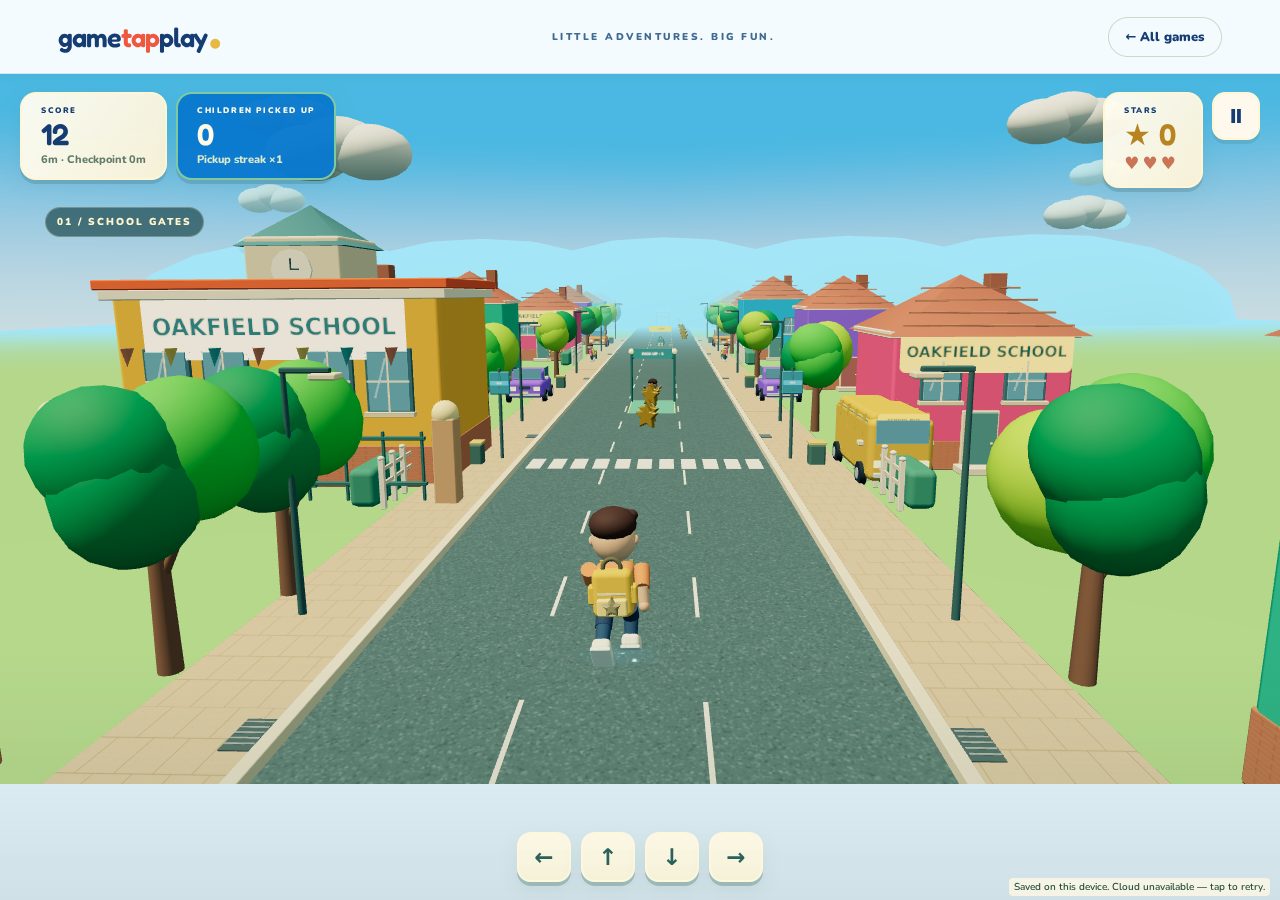
Runs get faster with distance. Checkpoint starts unlock at 500m, 1,000m and every 1,000m thereafter. A checkpoint starts a fresh run; a ticket continue preserves the current run and is limited to once per run.
Distance, crew and collectibles contribute to your run, with the current score and multiplier visible in the HUD. Check the results and mission goals rather than judging success only by distance.
Left/Right or A/D switch lanes. Up, W or Space jumps; Down or S slides. Escape or P pauses. On phones, swipe or use the direction buttons.
Low obstacles call for a jump; overhead beams call for a slide. Change lanes around vehicles and tall barriers. You begin with three hearts. Consecutive crew pickups build a multiplier up to ×5; the followers stay safe behind your runner.
The neighbourhood, runners and pickups are built from 3D geometry. Six scenery themes, collectible powers, missions and unlockable runners give each run different goals.
Progress saves anonymously for this browser with a local backup when cloud saving is unavailable. Clearing cookies can disconnect the cloud profile; clearing browser storage removes the backup.
Three. Collisions remove health and briefly grant collision immunity.
No. It begins a new run with zero score and full health at the selected distance.
No. Continue uses one existing ticket and is limited to once per run.
No. You can use the on-screen direction buttons instead.
Read the full School Run strategy guide for detailed techniques and common mistakes.